A customer asks for coffee suitable for their espresso machine. They compare the options they find, then need to confirm the grind, pack size, price and delivery. A beautiful product page that leaves those details unclear gives them more work before they can buy.
ChatGPT shopping for WooCommerce starts with a practical decision: which discovery or merchant integration is available to your business, and is your catalogue ready for it? Prepare accurate product pages, check access and confirm merchant eligibility before paying for a direct integration. A plugin or feed cannot guarantee a recommendation.
This guide helps store owners decide what to commission and how to verify delivery. Platform information was reviewed on 19 October 2026; confirm the current requirements for your account before implementation.
How to get products listed in ChatGPT: identify your route
A link to your website, a product in a shopping experience and a purchase completed inside a conversation are different outcomes. Name the one you need in the development brief.
| Your goal | Investigate | Ask for evidence of |
|---|---|---|
| Customers reaching public product pages through search | Crawl access, readable content and working URLs | Accessible pages without an unintended login or crawler block |
| Sharing a catalogue through a direct merchant feed | Merchant approval, supported market and data requirements | Accepted records, update history and visible ingestion errors |
| Customers completing checkout inside an assistant | Separately enabled checkout and order integration | An authorised test order and agreed failure handling |
OpenAI’s merchant onboarding guidance currently makes direct product-feed onboarding available to approved partners. Exporting a file does not establish that your business has been accepted.
Check country eligibility before commissioning the integration
Business location, target market and the supported integration all matter. The current OpenAI product-upload specification says standard OpenAI-format uploads target the US; additional markets require confirmation from OpenAI. A local currency or country field does not activate a new market by itself.
For a business selling to Saudi Arabia, the UAE or Egypt, ask for written confirmation of the available route before committing to work that depends on it. Establish who applies, what has been approved and which provider decision could delay delivery.
You can still improve product data, language consistency, public pages and mobile purchasing while a channel is unavailable to your account. Quote those useful store improvements separately from a conditional integration. A move to another ecommerce platform deserves its own business case.
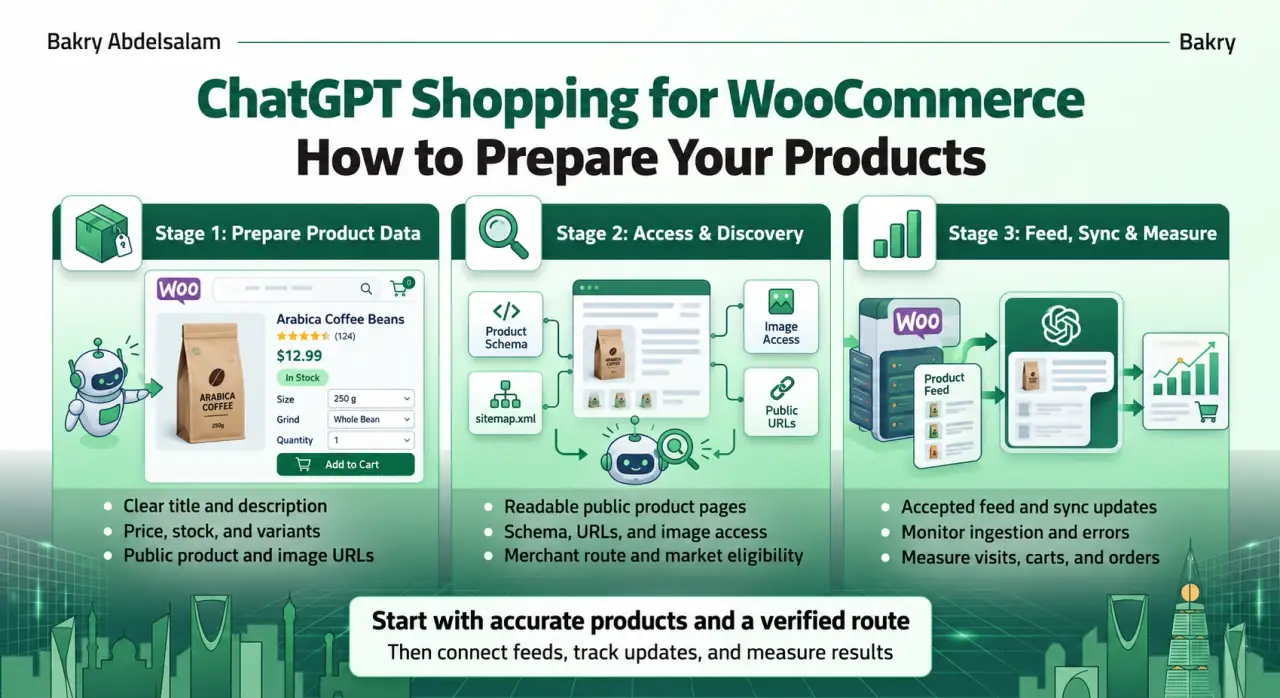
1. Make your product data answer a buyer’s questions
Start with a representative sample: a simple product, an item with several purchasable options and an out-of-stock item. Review:
- A specific title identifying the product and the attributes that affect selection.
- Factual descriptions covering intended use, specifications and what the order includes.
- Explicit options such as size, colour, grind or weight, rather than details available only inside an image.
- Stable product identifiers and distinct variant identifiers where the integration requires them.
- Accurate price, currency and availability for the actual option being offered.
- Public product and image URLs that open correctly.
- Clear shipping, returns and seller information that matches how the business operates.
For illustration, “Premium coffee” leaves the buyer guessing. “Espresso blend, 250g, whole beans” describes one concrete option, provided those are its verified facts. This is an illustrative catalogue entry, not a claim about a particular client product. Add tasting or compatibility claims only when your business can substantiate them.
If options change the price or availability, test the option a visitor reaches from the link. A catalogue showing one price while the selected pack has another creates uncertainty even when the website is fast.
2. Check whether search systems can reach the pages
A page can work for a shopper while a security challenge blocks a crawler. Inspect real product URLs and images, and use server logs where necessary to understand failures.
OpenAI’s crawler documentation distinguishes OAI-SearchBot, used for search, from GPTBot, used for model training. Their controls are independent. Review search access against your policy and your hosting configuration rather than treating all AI traffic identically.
Ask the developer to check response codes, robots directives, accidental noindex settings, canonical URLs, image access and CDN rules. Important product information should be readable on the page; a visible photograph alone does not establish that the price and options can be understood.
Public catalogue access should remain separate from private administration, customer records and order data. A product-discovery project is not a reason to expose those systems publicly.
3. Keep Google product information consistent too
Google documents Product structured data and Merchant Center feeds as ways to supply product information. Check that the page, markup and submitted catalogue agree. Adding several plugins that publish conflicting product records can make maintenance harder.
For Google’s AI search features, its website guidance continues to recommend established SEO practices; it does not require special AI files or a new schema type. Treat crawl access, useful text and accurate public information as the foundation.
Have the developer inspect the markup already produced by WooCommerce, the theme and relevant extensions before adding another source. Validate a real product and its purchasable options, then record who maintains that information.
4. If approved, make the product feed maintainable
A feed is a structured version of your catalogue for a particular provider. Decide how it is generated, when it updates, who sees rejected items and what happens when synchronisation fails.
OpenAI’s feed best practices cover factual descriptions, variant-specific data and attribution. For acceptance, change a price, mark a product unavailable and add a variant in a controlled test. Confirm that the accepted feed reflects each change.
Also check the exact extension and version proposed for your site. When reviewed, WooCommerce’s official agentic-commerce page still marked some UCP and ACP paths as coming soon. A protocol name in a sales pitch does not establish that your account and store have a working production connection.
Discovery and checkout should have separate acceptance criteria. Agree which work depends on provider approval and which can be completed independently.
A Raphia decision: the product option is part of the sales journey
For Raphia’s bilingual coffee store, I organised discovery around coffee categories and brewing methods, with grind and weight choices in the purchasing journey. Arabic and English visitors follow the same underlying commercial task.
That documented work illustrates a useful catalogue principle: keep the customer’s actual choice clear from category to product, basket and order. When preparing data for another channel, use those real options rather than flattening everything into a generic description.
Raphia is evidence of WooCommerce catalogue and shopping-journey work. It is not a measured ChatGPT sales case study. Any channel outcome for your store needs its own implementation record and post-launch measurement.
How to measure whether the work brings buyers
Record the products changed, the work completed and the release date. Track attributable referrals, product engagement, basket activity, checkout starts and valid orders using consistent definitions and an appropriate consent setup.
Where a feed supports attribution, agree how its links will be tagged and reported. Unattributed visits should remain unattributed; do not relabel them as AI traffic. Google Search Console reports Google search performance and does not provide a standalone ChatGPT referral report.
A manual prompt can show what an answer looks like in one session. It does not establish a stable ranking or a sales result. Review a useful operating period and note campaigns, pricing changes and seasonality before comparing outcomes.
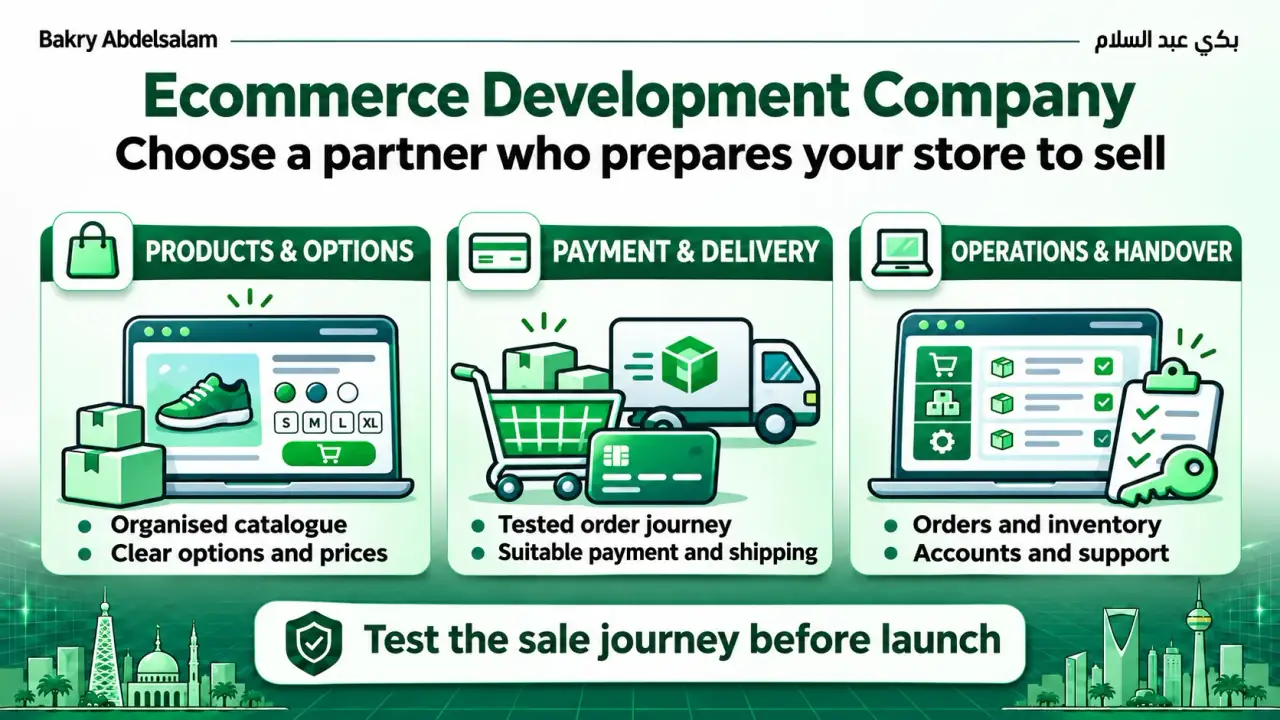
Validate the purchase journey before seeking more traffic. A broken option selector, shipping rule or payment notification can waste a relevant visit. The ecommerce development service includes the wider store scope; discovery work and checkout fixes should have explicit priorities.
For a seasonal promotion, use the WooCommerce Black Friday checklist to test offer combinations, scheduling, capacity and the team’s response plan before launching the campaign.
What should a developer deliver?
Start with a representative catalogue review, then commission defined repairs and an eligible integration where appropriate. The estimate should distinguish data cleanup, product-page changes, languages, provider setup, synchronisation, testing and ongoing responsibility.
You can adapt this brief:
We run a WooCommerce store selling to [markets] in [languages]. We want to assess product readiness for search and AI shopping. Here are a simple product, a variable product and a category page. Please identify data, access and update issues, and confirm merchant eligibility before quoting a direct channel integration.
Request a prioritised issue list, tested sample records, agreed acceptance checks, error-monitoring instructions and a handover naming who maintains product content and integrations. Your team should understand the result without needing to interpret a feed file.
Cost depends on the condition of the existing catalogue, product patterns, languages and integration scope. A short review makes that quote more useful than a universal “AI-ready store” package. Use the project brief template to add business goals, access arrangements and review responsibilities.
Frequently asked questions
Can a plugin guarantee my products appear in ChatGPT?
No. An extension can help export data or repair a defined issue. Access, eligibility, data quality and the shopper’s request still matter. Ask for testable deliverables rather than a promised recommendation.
Do I need to move from WooCommerce to Shopify?
Check the specific market and account requirements first. Compare improvements to the current store with migration cost, URL preservation and operational changes. The WooCommerce, Salla and Shopify comparison helps structure that wider decision.
Does a product listing mean customers can check out inside ChatGPT?
No. OpenAI’s commerce concepts distinguish product data from separately approved checkout capabilities. Confirm payment, order creation and failure handling in an explicit checkout scope.
Can I start before direct shopping integration supports my market?
Yes. Improve accurate product pages, variants, structured data, access and mobile purchasing as an independent scope. Schedule a provider-dependent integration after the available route and merchant approval have been confirmed.
Find the catalogue work worth doing first
Send your store URL, target markets, languages and a few products that matter to the business. I can review their data and shopping journey, explain the priorities and identify which work your store can use now.
Review the WooCommerce development service for implementation, or performance and technical SEO when the immediate issue is public page access and technical consistency.